


DuckStation
4.3850.00 Reviews
App Specs
- Version
- 0.1-8969-g611bb8fb4
- Updated On
- License
- Free
- Downloads
- 1,000,000+
- Developer
- Stenzek
- Categories
- Arcade
- Platform
- Android
Screenshots
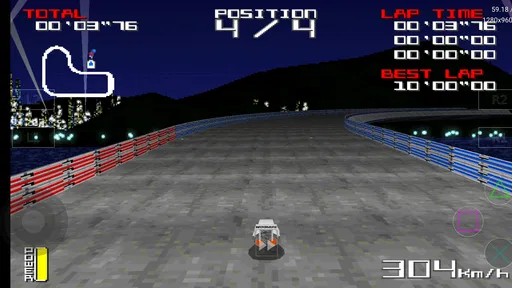
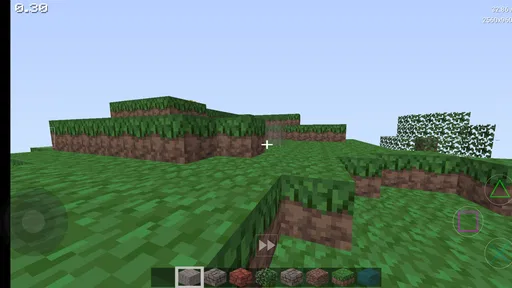
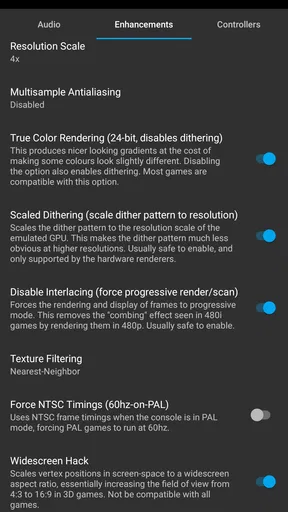
 Analysis by AppCompare
DuckStation is a free arcade-style game utility from Stenzek that I found most interesting when I stopped treating it like a modern game and started seeing it as a way to revisit the visual and audio character of the original PlayStation era. Its purpose is simple: it emulates PS1 and PSX software, with an emphasis on presenting those older games cleanly on current devices. That makes the experience less about discovering a new world inside one app and more about deciding how comfortably you want to return to worlds you already own or remember.
My first impression was that the appeal depends heavily on what you bring to it. If you are looking for a self-contained arcade game that opens into instant action, this is not the right expectation. If you have a legitimate collection of PlayStation games and want a practical way to play them on a compatible Android device, the app becomes much more compelling. The listing identifies it as DuckStation HD PS1 PSX Emulator, but the useful question is not whether it sounds impressive; it is whether it makes older games feel readable, responsive, and pleasant without erasing their original personality.
The project has built a strong audience for that purpose. It holds an average rating of 4.2 from around 18 thousand ratings, with more than a million installs, which tells me that it is not an obscure experiment used only by emulator hobbyists. It is free and rated for Everyone, although the games you choose to run can naturally have their own content. The app was released on September 13, 2020, and the current version is 0.1-8969-g611bb8fb4. It requires Android 6.0 or later, so compatibility is broad, but the quality of the final experience still depends on the phone, controller, and game.
Why the first launch feels different from an ordinary arcade game
Using DuckStation begins with a small but important mental adjustment. There is no single campaign, character, or built-in progression to guide you. The emulator is a frame around your own library, and that means the first few minutes are more practical than dramatic: choosing where your game files are stored, opening a title, and deciding whether the default controls suit you. I appreciate that honesty. It does not pretend that emulation is the same as downloading a conventional mobile game.
On a touchscreen, the initial impression can be mixed. Virtual buttons are serviceable for menus, turn-based games, slower adventures, and titles that do not demand precise simultaneous inputs. They are less satisfying for platformers, racing games, and action games where the original controller’s directional pad and shoulder buttons matter. A Bluetooth gamepad changes the experience substantially. My advice is to test one short session with touch controls before buying or pairing anything; that quickly reveals whether your chosen game is forgiving enough for the screen.
Another early decision concerns image presentation. The original PlayStation often used low-resolution artwork, visible texture wobble, and strong color contrasts. DuckStation’s HD focus can make those scenes cleaner and easier to read, but a sharper image is not automatically a more authentic one. I usually prefer a moderate enhancement rather than pushing every visual option as far as possible. Excessive smoothing can make painted backgrounds look strangely soft, while aggressive scaling can draw attention to polygon edges that were less obvious on an old television.
The best starting point is not maximum sharpness; it is a balanced image that preserves the game’s original visual grammar. I found that this matters particularly in games that rely on fog, dark corridors, pre-rendered backgrounds, or deliberately limited color palettes. A clean picture should clarify the design, not replace it with a generic modern filter.
Worth Reading Before You Choose

EA SPORTS FC Mobile 26 Is a Bigger Football Game, but It Takes Time

Flipboard Shows What News Apps Must Do Beyond the Feed

Switching to Android Auto Means Rethinking Your Driving Routine

Google Calendar Makes a Crowded Week Easier to Manage

Ludo King Makes the Most of the Minutes Between Plans

Baby Panda World Brings Quick Play to Modern Phones, but Its Game Library Feels Busy
Reading the world through old visual rules
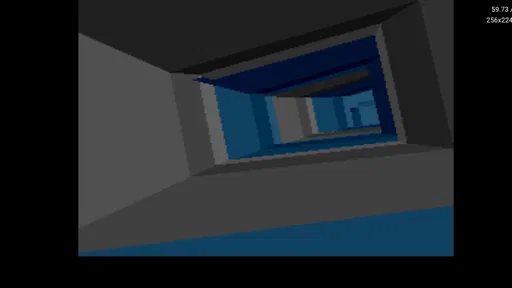
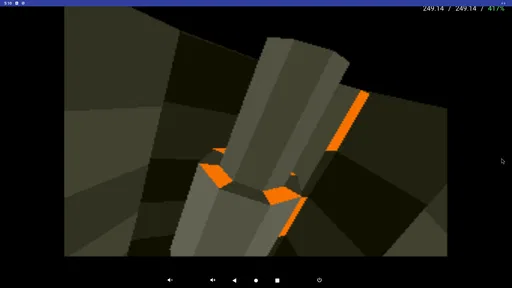
The most distinctive quality of the PlayStation library is its visual language. Characters may be angular, environments may use fixed camera angles, and distant scenery may be suggested with texture rather than detail. DuckStation does not turn those choices into modern 3D art, and that is a strength. When configured sensibly, it lets the low-polygon shapes, saturated colors, and painted surfaces remain visible while making the overall presentation easier to follow on a contemporary screen.
I especially like how this changes the mood of games built around limited visibility. A dark hallway can feel oppressive because the image is sparse, not because it contains a huge amount of detail. A racing circuit can feel fast because the scenery streams past in bold blocks of color. A role-playing town can feel memorable because a few strong shapes establish its identity. Raising clarity helps me see those decisions, but the atmosphere still comes from restraint.
There is a trade-off here that new users may miss. Improving resolution does not repair every original limitation. Some games were designed around the softness of a CRT display, where shimmering edges and texture transitions blended together. On a phone, sharper output can expose flicker, uneven geometry, or backgrounds that look more obviously like flat images. I would not judge the emulator unfairly for that. It is revealing the source material, and the right response is often to adjust the presentation rather than force a modern look.
The same principle applies to aspect ratio. Stretching an old game to fill a wide phone screen may make it seem larger, but it can also distort characters and environments. I prefer preserving the original proportions, even when that leaves unused space. That decision protects the game’s composition: circular objects remain circular, characters keep their intended shape, and camera framing feels closer to the way the developers planned it.
For a practical workflow, I recommend creating a small test group of games with different visual styles. Try one fast action title, one game with pre-rendered backgrounds, and one game with large outdoor areas. Adjust the image settings while comparing them rather than relying on a single favorite preset. This is more useful than chasing a universal configuration, because the same enhancement that helps a polygon-heavy racer can make a hand-painted adventure look unnatural.
Sound as a guide to pace and place
Visual presentation gets most of the attention in emulator discussions, but sound is just as important to the feeling of a PlayStation game. The era had a recognizable audio character: compact musical arrangements, distinctive effects, and environmental sounds that often did a lot of storytelling with very little. DuckStation’s role is to keep that material moving reliably, so the rhythm of a game can survive the transition from living-room hardware to phone.
I notice the difference most in games that use music to control movement. A tense track can make a simple corridor feel dangerous, while a bright melody can make a small town feel safe enough to explore. If audio stutters, arrives late, or becomes inconsistent, the world loses its pulse even when the picture looks perfect. That is why I value stable performance over visual ambition. A slightly simpler image with dependable sound creates a more coherent mood than a spectacular resolution mode paired with interruptions.
Headphones are useful when reviewing a game through DuckStation, not because every title has a sophisticated soundscape, but because small cues often carry the pacing. Menu clicks, footsteps, weapon effects, engine noise, and short musical transitions tell me whether the emulator is keeping the original timing intact. They also make it easier to notice when a phone’s speaker is masking detail or when the device’s audio path introduces a delay that makes action feel less immediate.
There is an everyday use case where this matters. I can play a slower adventure during a commute with touch controls and modest visual adjustments, then continue the same kind of library at home with a controller and headphones. The change in setting does not require me to abandon the original mood. On a small screen, the sound helps fill in the space around the image, while at home the controller lets the physical rhythm of movement and combat come forward.
Still, I would not describe the app as a complete substitute for every original listening setup. A phone is a noisy environment, and notifications, cheap speakers, or Bluetooth latency can interfere with timing. If a game depends on precise musical cues or fast reactions, wired audio or a low-latency setup is worth considering. The emulator can provide the software environment, but it cannot remove the limitations of the device around it.
When the mechanics fit the emulator
DuckStation is at its best when the game’s mechanics match the strengths of emulation. Turn-based battles, exploration, puzzle solving, menu-driven strategy, and slower platforming generally adapt well. These games give me time to read the screen, correct a touch input, or pause when the phone becomes inconvenient. Their pacing also makes the transition from a television to a handheld device feel natural.
Fast games are more conditional. A fighting game, precision platformer, or racing title can work very well with a physical controller, but touch controls may feel cramped because the original layout assumed tactile buttons. I would skip the app for those games if I had no comfortable input method and no patience for adaptation. That is not a failure of DuckStation; it is a mismatch between the control demands of the software and the surface of a phone screen.
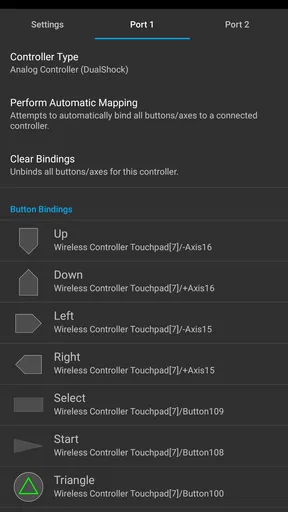
One useful habit is to map controls around the game rather than around a generic layout. Shoulder buttons are easy to overlook on a touchscreen, yet many PlayStation games use them for camera control, item cycling, drifting, or defensive actions. Bringing those functions closer to the fingers that actually need them can reduce awkward hand movement. I also find that hiding or reducing unnecessary on-screen controls helps me see the game’s composition, especially in scenes where the camera is already busy.
Save management is another reason the emulator suits some players better than others. I like being able to use the game’s own save system for a more authentic rhythm, then keep an emulator save state available for testing a difficult section or stopping quickly. The trade-off is that save states can weaken the tension of a game designed around limited saves and meaningful failure. I treat them as a convenience rather than my default. For a first playthrough, I usually let the original mechanics set the pace and reserve quick saves for interruptions or experimentation.
That approach also makes the library feel less disposable. Instead of jumping between titles whenever a scene becomes difficult, I can preserve the intended rhythm and use the emulator’s flexibility only when real life gets in the way. A short evening session becomes manageable without turning every challenge into a reload loop.
Practical choices before committing to a long session
The most important question is whether you already have a legitimate source for the games you want to play. DuckStation is an emulator, not a replacement for obtaining software responsibly. I would not install it expecting a ready-made catalog. Its value comes from giving your own PlayStation collection a modern place to run, and that makes it a better choice for someone with a clear library plan than for someone who simply wants instant free entertainment.
Storage and organization also deserve attention. I prefer keeping game files in a clearly named folder and separating them from unrelated downloads. That makes scanning easier and reduces the chance of opening the wrong version of a title. It also helps when moving between devices or backing up personal files. A little organization at the start prevents the emulator from becoming a cluttered list that discourages me from returning to anything.
Performance should be judged by the games you actually intend to play, not by a general assumption about your phone. Older Android hardware may handle some titles comfortably while struggling with more demanding scenes or ambitious visual settings. Even on a capable device, heat, battery use, and background activity can affect a long session. I tend to begin with conservative enhancements, play for a while, and raise quality only if the experience remains stable.
This is also where DuckStation differs from a traditional mobile arcade game. A conventional alternative usually offers fixed controls, a known performance target, and a store-ready content package. DuckStation offers broader control over presentation and a much larger range of older experiences, but it asks me to make more decisions. If you value convenience above all else, a native remake or official mobile port may be better. If you value preservation, customization, and access to a particular PlayStation library, the extra setup is worthwhile.
The app’s broad age rating and free price make trying it low-risk, but they do not remove the learning curve. A first-time emulator user may need to understand folders, controller mapping, image settings, and the difference between a normal save and a quick state. I would not recommend it to someone who dislikes troubleshooting or expects every game to behave identically. I would recommend it to anyone willing to spend a little time creating a setup that suits the games they care about.
Where the atmosphere finally lands
After spending time with DuckStation, I see its strongest achievement as a balance between clarity and character. It can make old PlayStation scenes easier to read without forcing them to look like modern games. That balance supports the full mood of a title: the chunky architecture, the strange faces, the compressed music, the pauses between areas, and the deliberate pacing that made those games feel larger than their technical limits.
Its limitations are equally clear. Touch controls are not ideal for every genre, visual improvements can expose rather than hide old quirks, and the best results require some personal setup. The experience also depends on the quality of the original game and the hardware running it. Someone seeking a polished, self-contained arcade release should choose a native game instead. Someone who wants a curated modern presentation may prefer an official remaster when one exists.
For me, the most rewarding use is selective rather than excessive. I would choose a few games whose atmosphere benefits from portable play, configure the image conservatively, use headphones when sound carries the tension, and pair a controller with anything that demands precise timing. That workflow keeps the mechanics in view while allowing the art direction and audio to do their work.
Stenzek’s emulator is therefore a strong recommendation for players who want to revisit the PS1 and PSX era with more flexibility than the original hardware offered. It is not magic, and it is not a shortcut around responsible game ownership or thoughtful setup. But when the controls, display, and sound are matched to the right title, DuckStation turns technical emulation into a convincing way to preserve a game’s playable mood. I would install it for a personal PlayStation library, while advising a newcomer to begin with one familiar game and learn the settings gradually.
Pros
- Excellent accuracy with broad PlayStation game compatibility.
- Supports save states
- memory cards
- and automatic backup options.
- Includes widescreen rendering and texture filtering enhancements.
- Works with Bluetooth controllers and customizable touch controls.
- Offers useful debugging and performance tools for advanced users.
Cons
- Requires legally obtained BIOS files and game dumps.
- Some demanding games may need a powerful phone for smooth play.
- Touchscreen controls are less comfortable for extended sessions.
- Initial graphics and controller setup can feel technical for beginners.
- Certain enhancements may cause visual glitches in older games.
FAQs for DuckStation
What is DuckStation, and which platforms does it support?
DuckStation is a PlayStation 1 emulator designed to run original PS1 games on modern devices. It is available for platforms including Android, Windows, Linux, and macOS, while iOS availability may depend on the current distribution method and device compatibility. Before downloading, check that your operating system and hardware meet the emulator’s requirements, as performance can vary considerably between phones, tablets, computers, and older devices.
Does DuckStation include PlayStation games, or do I need my own game files?
DuckStation does not normally include commercial PlayStation games. You need to provide your own legally obtained game images, commonly called ROMs or ISOs, and in some cases a BIOS file from compatible hardware. The application is an emulator, not a game library. Users should create backups only from games they own and follow copyright laws applicable in their country before importing any files.
How well does DuckStation run PS1 games on Android and other devices?
Performance is generally very good, especially on reasonably modern Android phones, tablets, and computers. DuckStation can often run PlayStation games at their original speed while offering enhancements such as higher internal resolution, texture filtering, widescreen options, and improved rendering. However, demanding enhancements may cause slowdowns, heat, or battery drain on weaker devices, so settings may need to be adjusted for smooth gameplay.
What features and customization options does DuckStation offer?
DuckStation provides many options for improving both compatibility and visual quality. Depending on the platform, users can configure virtual controls, physical controllers, save states, memory cards, fast-forwarding, rewind support, graphics renderers, resolution scaling, widescreen patches, texture filtering, and per-game settings. These features make the emulator flexible, although beginners may need time to understand the difference between original-accuracy settings and visual enhancements.
Is DuckStation safe to download, and is it free to use?
DuckStation is widely known as an open-source emulator and is generally available without the need to purchase the emulator itself. For safety, download it only from the project’s official website, a reputable app store, or a trusted official repository, and avoid modified packages that promise preloaded games or unlocked features. Keep in mind that game files and BIOS files should come from lawful sources, and permissions should be reviewed during installation.


